
FAQ's - Lithium Battery Remote DisplayUpdated 3 months ago
How can I purchase the Lithium Battery Remote Display?
You can purchase the Lithium Battery Remote Display online here, call our sales team on (07) 3123 4715, or locate a store near you.
Where can I find the user manual for the Lithium Battery Remote Display?
You can find the user manual on our Support Portal.
What batteries is the Lithium Battery Remote Display compatible with?
The Lithium Battery Remote Display is compatible only with select KickAss Lithium Batteries. It will not work with other lithium battery brands. Please refer to the compatibility table below.
KickAss Lithium Battery Model | Compatible |
105Ah Ultra Slim | YES |
120Ah Slim | YES |
120Ah | YES |
200Ah | YES |
What is the length of the display cable in the Lithium Battery Remote Display?
The display cable is 440mm long. If you need additional length, you can purchase the optional 5-meter extension cable. Remote Display Unit 5m Extension Cable.
How do I turn the Lithium Battery Remote Display on and off?
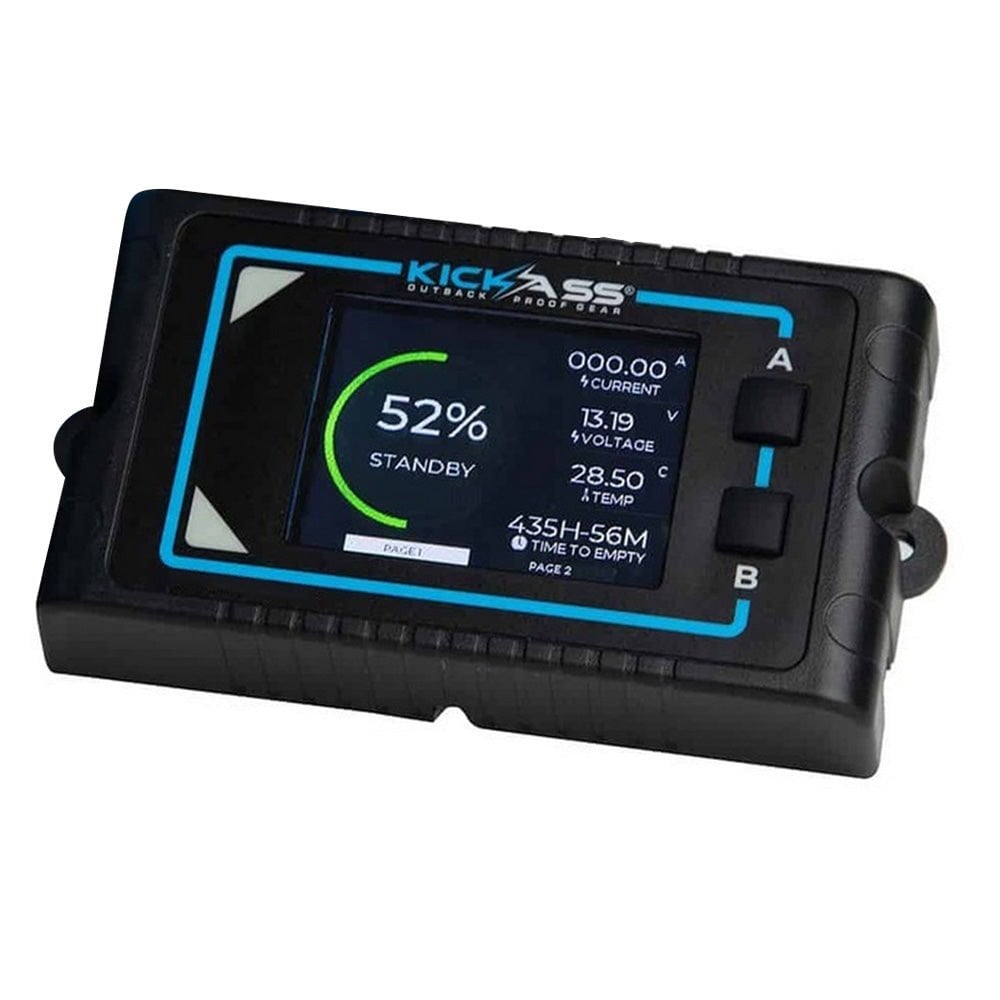
To turn the Lithium Battery Remote Display on or off, press the B button.
Can you change screen timeout settings of the Lithium Battery Remote Display?
Yes, you can! You can choose between 30 seconds, 1 minute, 2 minutes, 5 minutes, or 1 hour.
Hold the B button for 5 seconds to open the Screen Timeout settings. Press B again to cycle through and select your preferred timeout option. Once selected, simply wait for the unit to return to the home screen, and your settings will be saved automatically.
How do I switch displays on the Lithium Battery Remote Display?
To switch between display pages on the Lithium Battery Remote Display, press the A button.
How much does the Lithium Battery Remote Display weigh?
The Lithium Battery Remote Display weighs 10g.
SKU: KARDUV1