
FAQ's - 8 Gang Wireless Switch Panel MKIIUpdated 2 months ago
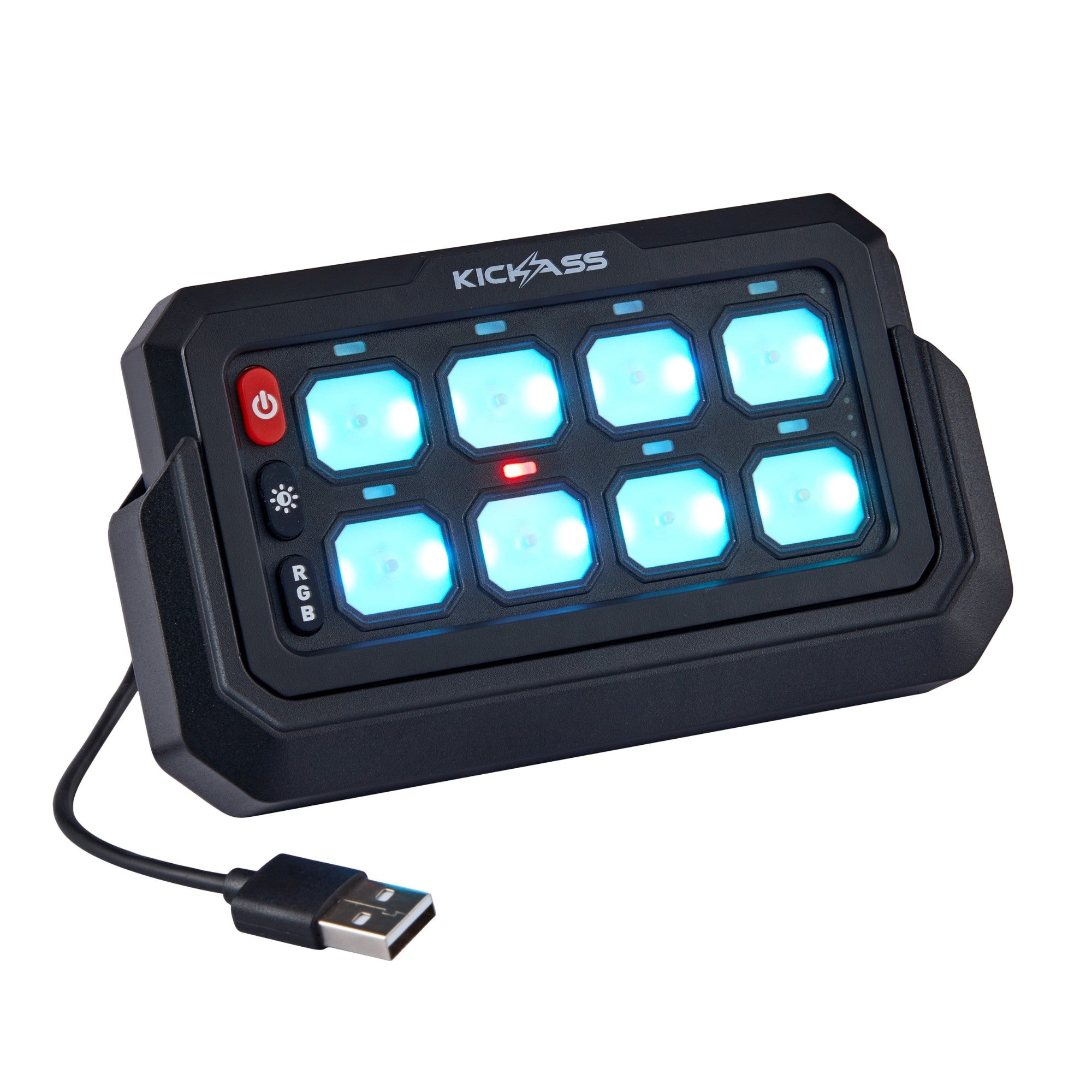
How can I purchase the 8 Gang Wireless Switch Panel MKII?
You can purchase the 8 Gang Wireless Switch Panel MKII online here, call our sales team on (07) 3123 4715, or locate a store near you.
Where can I find the user manual for the 8 Gang Wireless Switch Panel MKII?
You can find the user manual on our Support Portal.
What variations of the KickAss MKII Wireless Gang Switches are available?
We currently have two options available for the Wireless Gang Switches:
What is the range of the 8 Gang Wireless Switch Panel MKII?
The 8 Gang Wireless Switch Panel can remotely operate your DC appliances/gear from up to 60m away from the antenna.
What is the IP rating of the 8 Gang Wireless Switch Panel MKII?
The 8 Gang Wireless Switch Panel has an IP65 dust and water-resistant rating.
What is the difference between the 8 Gang Wireless Switch Panel and the 8 Gang Wireless Switch Panel MKII?
The main difference is that the 8 Gang Wireless Switch Panel MKII has magnetic charging integrated into the cradle, and you can pair two switch panels to one control unit.
Can I purchase an additional 8 Gang Wireless Switch Panel MKII separately?
Yes, an additional 8 Gang Wireless Switch Panel MKII can be purchased separately here.
Does the 8 Gang Wireless Switch Panel MKII come with a mounting bracket and holder?
Yes, the 8 Gang Wireless Switch Panel MKII comes with a mounting bracket and cradle.
Can I purchase the mounting bracket and charging cradle for the 8 Gang Wireless Switch Panel MKII separately?
Yes, you can purchase the Mounting Bracket and Charging Cradle separately.
Can I pair my original 8 Gang Wireless Switch Panel with the new MKII version?
No, the original 8 Gang Wireless Switch Panel is not compatible with the new MKII version.
Each version uses a different pairing protocol and internal firmware, meaning they must be paired with their corresponding control unit only.
How do I charge the 8 Gang Wireless Switch Panel MKII?
There are two ways to charge the 8 Gang Wireless Switch Panel MKII:
- Via the USB-C charging slot on the side of the switch panel, under the rubber cover.
- Via the magnetic charging cradle.
What is the charging time of the 8 Gang Wireless Switch Panel MKII?
The 8 Gang Wireless Switch Panel MKII takes approximately 3 hours to fully charge.
How long does the 8 Gang Wireless Switch Panel MKII last?
The 8 Gang Wireless Switch Panel MKII can run for approximately 5 to 6 days on a full charge.
What is the power input specification of the 8 Gang Wireless Switch Panel MKII?
The 8 Gang Wireless Switch Panel MKII has a maximum power input of 720W at 12V and 1440W at 24V.
How many appliances can the 8 Gang Wireless Switch Panel MKII power?
The 8 Gang Wireless Switch Panel has 8 connection points for all your appliances, that can power up to a maximum of 60A at once.
How can I check the battery level of the 8 Gang Wireless Switch Panel MKII?
To check the battery level of the 8 Gang Wireless Switch Panel, simply press and hold the red power button for three seconds. The three LEDs on the right-hand side of the switch panel will illuminate to indicate the charge level, and will stay on for about 10 seconds.
1 LED Light = Low charge
2 LED Lights = Medium charge
3 LED Lights = Full charge
How will I know when the 8 Gang Wireless Switch Panel MKII is fully charged?
The charging indicator shows a red light while charging is in progress, and turns green once it is fully charged.
What is the length of the antenna cable of the 8 Gang Wireless Switch Panel MKII?
The antenna cable of the 8 Gang Wireless Switch Panel MKII is 3m long.
How much does the 8 Gang Wireless Switch Panel MKII weigh?
The 8 Gang Wireless Switch Panel, cradle, and bracket weigh 0.45kg.
The control box weighs 0.6kg.
What are the dimensions of the 8 Gang Wireless Switch Panel MKII?
The dimensions of the 8 Gang Wireless Switch Panel MKII are 127mm (L) x 14mm (W) x 72mm (H).
The control unit measures 192mm (L) x 30mm (W) x 133mm (H)
SKU: KAWLSWPANEL-8-MKII