
FAQ's - 4A Smart ACDC ChargerUpdated 5 months ago
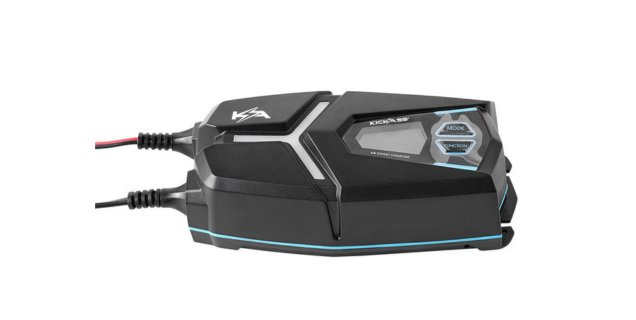
How can I purchase the 4A Smart ACDC Charger?
You can purchase the 4A Smart ACDC Charger online here, call our sales team on (07) 3123 4715, or locate a store near you.
Where can I find the user manual for the 4A Smart ACDC Charger?
You can find the user manual on our Support Portal.
Can you adjust the charging rate on the 4A Smart ACDC Charger?
The 4A Smart ACDC Charger has two selectable charging modes: 1A and 4A, designed for smaller batteries. Always check your battery’s maximum charge current (amps) before charging.
Can you change the output voltage on the 4A Smart ACDC Charger?
Yes, you can select either 6V or 12V as the output voltage on the 4A Smart ACDC Charger.
What types of batteries can the 4A Smart ACDC charge?
The 4A Smart ACDC Charger is compatible with AGM, Lithium, Lead Acid, and Gel battery types.
Can I use the 4A Smart ACDC Charger to test my vehicle’s battery?
Yes. The 4A Smart ACDC Charger can be used to test the status of your car battery, as well as its cranking performance. You can follow the detailed steps here.
Does the 4A Smart ACDC Charger support alternator testing?
The 4A Smart ACDC Charger can also be used to check the charging performance of your alternator. Please refer to the User Manual for instructions.
Why is the 4A Smart ACDC Charger showing an ER2 error and not working?
The ER2 error on the 4A Smart AC/DC Charger typically indicates incorrect charging parameters or an incorrect battery voltage setting. This commonly occurs when the charger is set to 6V instead of 12V.
To resolve the ER2 error:
1. Check the charger voltage setting
Ensure the charger is set to the correct battery voltage. Using the wrong voltage setting can trigger the ER2 error.
2. Adjust the charger settings
- Connect the charger to the power source.
- Ensure the battery is disconnected from the charger.
- Press the FUNCTION button until the display cycles to the correct battery voltage setting (for example, 12V).
3. Reconnect the battery
Once the correct voltage has been selected, reconnect the battery and restart the charging process.
Always match the charger setting to the battery specifications before charging and ensure the battery is not faulty or damaged. If the error persists, inspect the battery and connections for any signs of damage, poor contact, or corrosion.
What are the dimensions of the 4A Smart ACDC Charger?
The 4A Smart AC/DC Charger has the following dimensions:
- Charger Unit: 55mm (H) × 90mm (W) × 185mm (L)
- Anderson Cable Length: 1560mm
- AC Power Cable Length: 1830mm
SKU: KACHG124